Overview
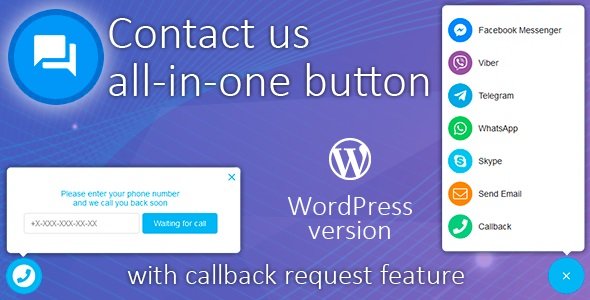
“Contact us all-in-one button” displays on every page of your site and provide as many contact methods as you want.
You can choose what of contact methods will be displayed on desktop and mobile versions of your site separately. Also that way you can set one link for desktop version and another for mobile.
Facebook Messenger, WhatsApp, Tawk.to live chat, Twilio, Intercom, Zendesk help desk chat, Call Me Back, Crisp, VK chat, Skype, Slack, Viber, Telegram, Email, WeChat, and more social communication support channels all in one message module!
- Button customization – customize button position, color, size, icon, label
- Menu customization – customize menu size, menu background and text color
- Menu items – choose items you want, add/edit/remove menu items
- Menu items visibility – choose what items will be displayed on desktop and mobile devices separately
- Custom javascript handler – you can write custom javascript item handler to integrate widget with live-chat widgets etc…
- Live chat integrations – you can use this functionality to integrate with one or few live chats such as FaceBook Customer Chat, Tawk.to, Zendesk chat etc… (please see full list below)
- Customize prompt messages – add/edit/remove prompt messages
- Callback request – customer can easily request a call-back to his/her phone number
- Email – when visitor request a callback you will receive an email
- Twilio integration – you can use Twilio integration to receive SMS when visitor request a callback
- Telegram chatbot – you can create and integrate Telegram chatbot to receive Telegram message when visitor request a callback
- Callback requests in admin panel – you can manage all callback requests in admin panel (please see screenshots)
- Google reCaptcha V3 integration – prevent bots to send call-back request via invisible Google reCaptcha V3 (please see screenshots)
- Countdown timer – display countdown timer when customer request a call-back
- Theme color – customize button color (please see screenshots)
- Hashtag commands – you can use simple link with hashtag href to send some commands (open menu, close menu, open call back popup etc…) to widget. Please see documentation for details.
What's included
- The full pluginEvery file from the developer's release, in one zip.
- Unlimited sitesInstall it on your own and your clients' sites.
- GPL licensedFree to use, study and modify.
- No paymentFree to download, no card needed.
How to install
- 1Download the zip file from this page.
- 2In WordPress, go to Plugins → Add New → Upload Plugin.
- 3Choose the zip, click Install Now, then Activate.
Questions
Is this the developer's own release?
Yes. It is the release published by the original developer, redistributed under the GNU General Public License. The GPL allows anyone to share and resell the code.
Do I get a license key or automatic updates?
No. License keys, one-click updates and support come from the developer's own paid plans. To update, download the newer version here when it is listed and install it over the old one.
Can I use it on more than one site?
Yes. The GPL puts no limit on the number of sites, including client sites.
Why is it free?
During our launch every download that is available on GPL Store is free. Nothing is charged and no card is asked for.


