Overview
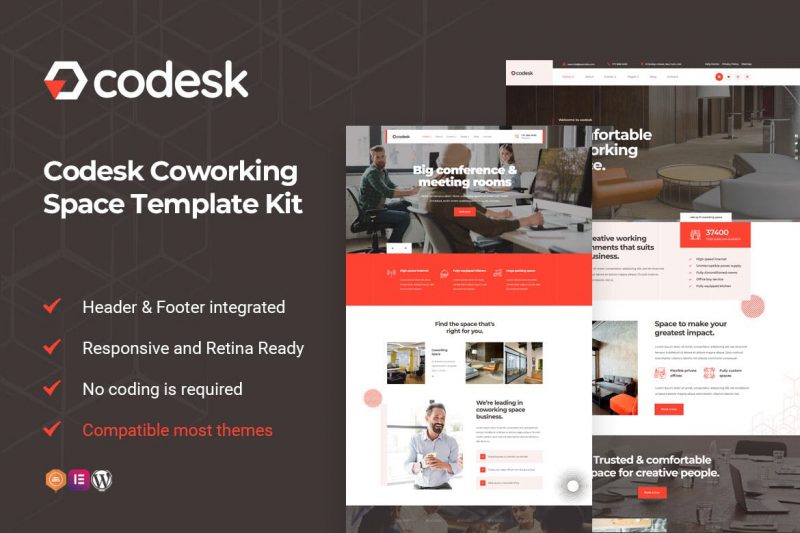
Codesk is a modern & professional Template Kit for Coworking Spaces, Open Office, Meeting, Conference Space Rentals, Corporate Company, Studios and other businesses. It is perfect for all types of Co-working Hub, Office Space, Shared Offices, Hot Desks, Workshops, Startups, Meetings and Conference rooms/halls and other. After importing the demo, you just need to change some information on the template to have a complete website. It is optimized for seo very well. All of the copyrighted images you can use for your website. You are looking for a WordPress Open Office website, or Coworking Spaces, this is the best choice
Required Plugins
- Elementor (Free)
- Themesflat Addons For Elementor (Free) (By Themesflat )](https://wordpress.org/plugins/themesflat-addons-for-elementor/)
- MetForm
Kit Key Features
- One Click Demo Import
- Includes 3 Home page
- Unique and Modern Style.
- Clear and Clean Layout
- Lifetime Free Updates
- Cross browser compatible
- Built-in Header Footer
- Post Widget
- Carousel Slide Box ( Create sliders with anything )
- Responsive and Retina Ready
- Compatible with any WordPress theme
- Optimized for search engines
How to Install
Install and Activate the Envato Elements plugin from Plugins > Add New in WordPress, then activate your subscription. Premium kits may be loaded directly from the Premium Kits library. Manual import: Do not unzip the download. Upload the Kit zip under Elements> Installed Kits by clicking the Import Kit button. Before importing a template, ensure the Install Requirements button is clicked to activate required plugins. For best results, do not import more than one template at a time.
How to import Metform custom form
- Import metform template
- Import the template where the form appears, then edit in Elementor. -Click the Metform widget in the column where the form should be and click Edit Form.
- Select New, leave blank selected then click Edit Form button
- Click ‘Add Template’ grey folder button.
- Click ‘My Templates’ tab.
- Choose your imported metform template, then click ‘Insert’.
What's included
- The full template kitEvery file from the developer's release, in one zip.
- Unlimited sitesInstall it on your own and your clients' sites.
- GPL licensedFree to use, study and modify.
- No paymentFree to download, no card needed.
How to install
- 1Download the zip file from this page.
- 2In WordPress, open Elementor → Tools → Import / Export Kit.
- 3Start the import, choose the zip and pick the parts you want.
Questions
Is this the developer's own release?
Yes. It is the release published by the original developer, redistributed under the GNU General Public License. The GPL allows anyone to share and resell the code.
Do I get a license key or automatic updates?
No. License keys, one-click updates and support come from the developer's own paid plans. To update, download the newer version here when it is listed and install it over the old one.
Can I use it on more than one site?
Yes. The GPL puts no limit on the number of sites, including client sites.
Why is it free?
During our launch every download that is available on GPL Store is free. Nothing is charged and no card is asked for.