Overview
Helpie WordPress Knowledge Base Plugin from Codecanyon WordPress Knowledge Base Plugin for knowledge base, wiki and documentation websites.
KEY FEATURES
- As a WordPress wiki plugin
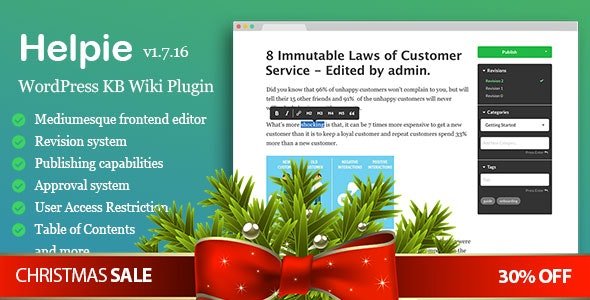
- Medium.com-like frontend editor
- Wiki based Publishing Capabilities &
- Version History & Approval System
- User Access Restriction & Password Restriction
- Article and Topic Listing
- Elementor Integration
This WordPress Knowledge Base Wiki Plugin Features
- Publishing:
-
- Publishing capabilities: decide who can edit, who can publish and who can review articles
- Revision Approval System: your reviewers can publish edits or roll back to previous revisions
- Search:
-
- Searches Title, Content, Categories, Tags
- Partial Matching
- Sorting is done using a prioritisation score like Google’s keyword system
- Article Listing:
- 10+ sorting, filtering, style options
- Filter articles by topics
- Sort articles by popularity, recently created, recently updated, alphabetical, etc
- Category Listing:
- 5+ sorting, filtering, style options
- 4 view stles: Boxed, Boxed1, Modern, List
- Hero Section: with style options.
- Table of Contents:
- Automatic Table of Contents
- Standard, Fixed Display options
- Options to show/hide/toggle sub-topics and articles under a topic/category
- User Access Restriction:
- Based on any user roles ( custom or default )
- Password Protection: Protect topics/categories by password
- Voting: 2 voting systems + insights based on voting
- Insights: User, Search, Voting, Article Insights
- Translation Ready: Support WPML, RTL
- Compatible with the latest WordPress and all Major Themes and Plugins
- Page Builders Integrated
- Breadcrumbs
- Frontend Stats: Display KB / Wiki stats in the frontend
- 100+ settings to customise your KB
- Widgets, Shortcodes in progress for all components
- Frontend Editor: Add/Edit/Manage articles from the frontend
- Article versioning: Works with WordPress Revision System for article versioning/revision system
- Media Attachments: Attach audio, video, pdf, or any other media
- Comments: Enable/Disable Comments
- Responsive / Mobile Friendly
- Drag and Drop category re-ordering
- FontAwesome Icons included
- Estimated Reading time
- Fully Updated Docs
- WordPress Multisite Supported
What's included
- The full pluginEvery file from the developer's release, in one zip.
- Unlimited sitesInstall it on your own and your clients' sites.
- GPL licensedFree to use, study and modify.
- No paymentFree to download, no card needed.
How to install
- 1Download the zip file from this page.
- 2In WordPress, go to Plugins → Add New → Upload Plugin.
- 3Choose the zip, click Install Now, then Activate.
Questions
Is this the developer's own release?
Yes. It is the release published by the original developer, redistributed under the GNU General Public License. The GPL allows anyone to share and resell the code.
Do I get a license key or automatic updates?
No. License keys, one-click updates and support come from the developer's own paid plans. To update, download the newer version here when it is listed and install it over the old one.
Can I use it on more than one site?
Yes. The GPL puts no limit on the number of sites, including client sites.
Why is it free?
During our launch every download that is available on GPL Store is free. Nothing is charged and no card is asked for.


