Overview
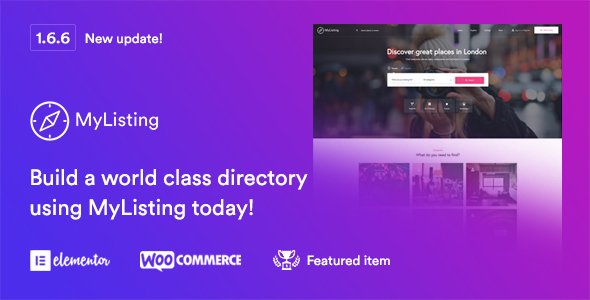
MyListing is a Wordpress theme that gives you complete freedom to create any type of directory or listing website Design your pages on the front-end and witness your work instantly come to life. MyListing pages are created using the powerful front-end page builder, Elementor. All 50+ elements are drag and drop, and easy to use and customize. Absolutely no coding required.
Whether you’re creating a business, event, or any other type of directory, you would want different look, functionality and features for each of them. Our advanced listing type creator lets you do just that. Choose between 20+ pre-made fields and create your own unlimited custom fields. Each listing can also have their own products for sale, host events, forms, reviews, comments and other custom tabs.
- MyListing uses Elementor page builder – the fastest growing, open-source WordPress page builder.
- Over 50 Elementor widgets ready to use.
- Advanced Listing Type Builder
- Add unlimited listing types, each with it’s own unique design and functionality.
- Listing Type editor with a beautiful and easy to use interface.
- Custom Listing Profiles for each listing type.
- Custom Fields with powerful field editor for each listing type.
- Customize the listing preview box, uniquely for each listing type.
- Customize the Explore page uniquely with custom facets for each listing type.
- Powerful search facet editor, unique to each listing type.
- TimeKit and Contact Form 7.
- Listing Reviews.
- Bookmark Listings.
- Listing Ratings.
- Shortcode generator with an easy to use interface.
- Custom shortcodes included.
- ‘Button’ shortcode.
- ‘Listing Categories’ shortcode.
- ‘Format Text’ shortcode.
- ‘Icon Picker’ shortcode.
- ‘Listing Search Form’ shortcode.
- Over 2000 icons to choose from, including Custom Theme Icons, Material Icons, Font Awesome, and Glyphicons.
- Integrated with Google Maps.
What's included
- The full themeEvery file from the developer's release, in one zip.
- Unlimited sitesInstall it on your own and your clients' sites.
- GPL licensedFree to use, study and modify.
- No paymentFree to download, no card needed.
How to install
- 1Download the zip file from this page.
- 2In WordPress, go to Appearance → Themes → Add New → Upload Theme.
- 3Choose the zip, click Install Now, then Activate.
Questions
Is this the developer's own release?
Yes. It is the release published by the original developer, redistributed under the GNU General Public License. The GPL allows anyone to share and resell the code.
Do I get a license key or automatic updates?
No. License keys, one-click updates and support come from the developer's own paid plans. To update, download the newer version here when it is listed and install it over the old one.
Can I use it on more than one site?
Yes. The GPL puts no limit on the number of sites, including client sites.
Why is it free?
During our launch every download that is available on GPL Store is free. Nothing is charged and no card is asked for.