Overview
You are looking for a solution to synchronize data between your online website and your local store; you are looking for a quick solution to manage your cafe/restaurant. OpenPOS is a must have Plugin to do that.
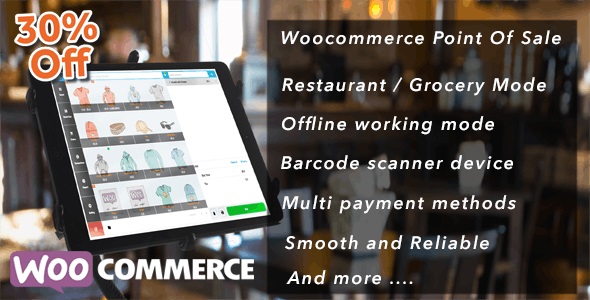
OpenPOS is a complete point of sale system(POS) plugin for WooCommerce and WordPress. OpenPOS can be used for multi purposes like as Retailers Stores / Restaurant / Cafe / Spa salon. OpenPOS includes everything you need for a Point Of Sale system.
Features
- No Monthly Fees
- Cafe/Restaurant Mode with table management, merge table, transfer table, Kitchen View Screen
- Real-time sync table order data between waiter’s phone/tablet and Kitchen’s phone/tablet/ pc
- General / Grocery Mode with customer pole display
- Multi-Warehouse (Outlets)
- Inventory Management : Stock transfer, Stock adjustment
- Stock Overview
- Multi Registers
- Support all type of Barcode Scanner device
- Add product by Barcode Scanning or search by name / sku
- Support Decimal Stock / Negative Qty
- Rounding Currency
- Order Note / Item Note
- Discount and coupon ( Item discount and cart discount )
- Multi cart checkout with saved cart function
- Manage user allow login to POS panel
- Receipt , barcode label
- Print & Email Receipts
- Cash Management
- Checkout with multi payment method / Split payment
- Working with offline mode
- Report Transactions and Sales
- Integrated with WooCommerce Product Add-Ons, WooCommerce Product Bundles to sell your simple, variable, and complex products.
- Manage Active login session, session information contain: cashier name, locations, ip address.
- Camera barcode/ QRcode scanner with https
- Logoff function. This is an important feature for the cashier, they can logoff without losing working session, and not have to worry about their data change by another person
- Checkout with default or extended woocommerce gateways
- Refund, Partial Refund, Full exchange, Partial Exchange
- Easy extends and manage code
- And many more…
Demo Admin : https://woocommerce-pos.openswatch.com/wp-admin ( admin / admin123 )
Demo POS : https://woocommerce-pos.openswatch.com/wp-content/plugins/woocommerce-openpos/pos/ ( admin / admin123 or test / test123)
Demo Restaurant/ Cafe Mode
Demo Restaurant/ Cafe POS : https://woocommerce-restaurant-pos.openswatch.com/wp-content/plugins/woocommerce-openpos/pos/ ( test / test123)
Demo Restaurant/ Cafe POS Kitchen View
Video How To Working with Cafe / Restaurant Mode
Demo POS Performance with 1000 Products Test account: test / test123
Click Here To Access Demo POS with 1000 Products
You can try with free version available at : https://wordpress.org/plugins/openpos/
What's included
- The full pluginEvery file from the developer's release, in one zip.
- Unlimited sitesInstall it on your own and your clients' sites.
- GPL licensedFree to use, study and modify.
- No paymentFree to download, no card needed.
How to install
- 1Download the zip file from this page.
- 2In WordPress, go to Plugins → Add New → Upload Plugin.
- 3Choose the zip, click Install Now, then Activate.
Questions
Is this the developer's own release?
Yes. It is the release published by the original developer, redistributed under the GNU General Public License. The GPL allows anyone to share and resell the code.
Do I get a license key or automatic updates?
No. License keys, one-click updates and support come from the developer's own paid plans. To update, download the newer version here when it is listed and install it over the old one.
Can I use it on more than one site?
Yes. The GPL puts no limit on the number of sites, including client sites.
Why is it free?
During our launch every download that is available on GPL Store is free. Nothing is charged and no card is asked for.


