Overview
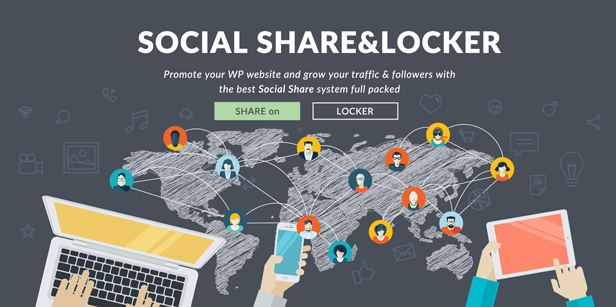
There’s no other sharing plugin that has the depth of options that you get from this one. Multiple Sharing Buttons, Different Display showcases, Followers buttons, Social Content Locker. If you do need help with something, the Support Team is ready to answer on all your questions
Social Networks for Sharing
Social Share&Locker is the only plugin on the market where the share buttons actually works very well. There are 60 share options: FaceBook, Twitter, Google Plus, LinkedIn, Pinterest, Vkontakte, DiggDigg, Stumbleupon, Tumblr, Reddit, Delicious, Weibo, Xing, Print Friendly, Email Sharing, Odnoklassniki, Whatsapp, Bufferapp, Mail.ru, Meneame, Evernote, GetPocket, Flattr, ManageWP, MySpace, Yahoo Mail, GMail, HackerNews, Blogger, Amazon, Newsvine, Viadeo, DOUBAN, Baidu, Identi.ca, Yammer, SMS, Viber, Telegram, Comments, Love This, AOL, Flipboard, Send Email
You can control how your Sharing Buttons will show up, using a specific Template, horizontal/vertical position, with or without Network name or Social Counts.
Social Locker integration
PAY WITH A SHARE!!!
The best way to spread your content and increase the the amount of traffic to your Website from most used Social Networks: FaceBook, Twitter, Google+ & LinkedIn .
Packed with special feature the Social Locker can become a dynamic tool for your social strategy. There you can set a Delay Time or to AutoUnlock some content after a while. The Visitors may needs to Share again your Page if you set the Locker to Reset after a certain time.
Do you want to Convert your Visitors into your Leads?
Just set in place the Smart Targeting Locker options
- Registered Users – Based on Users status (logged or not logged) can Show/Hide the Social Locker
- User Has Commented – If the current user is Logged, based on his Comments (if he done or not) the Locker can show up or can be hidden.
- Users Roles – Show/Hide the Locker based on User WP Roles
- Visits Only From Specific Ref – Such as Google, Yahoo, Big or even Custom Refs
- Mobile Devices – The Social Locker can be hidden when your page is visited from a smartphone or tablet.
What's included
- The full pluginEvery file from the developer's release, in one zip.
- Unlimited sitesInstall it on your own and your clients' sites.
- GPL licensedFree to use, study and modify.
- No paymentFree to download, no card needed.
How to install
- 1Download the zip file from this page.
- 2In WordPress, go to Plugins → Add New → Upload Plugin.
- 3Choose the zip, click Install Now, then Activate.
Questions
Is this the developer's own release?
Yes. It is the release published by the original developer, redistributed under the GNU General Public License. The GPL allows anyone to share and resell the code.
Do I get a license key or automatic updates?
No. License keys, one-click updates and support come from the developer's own paid plans. To update, download the newer version here when it is listed and install it over the old one.
Can I use it on more than one site?
Yes. The GPL puts no limit on the number of sites, including client sites.
Why is it free?
During our launch every download that is available on GPL Store is free. Nothing is charged and no card is asked for.


