Overview
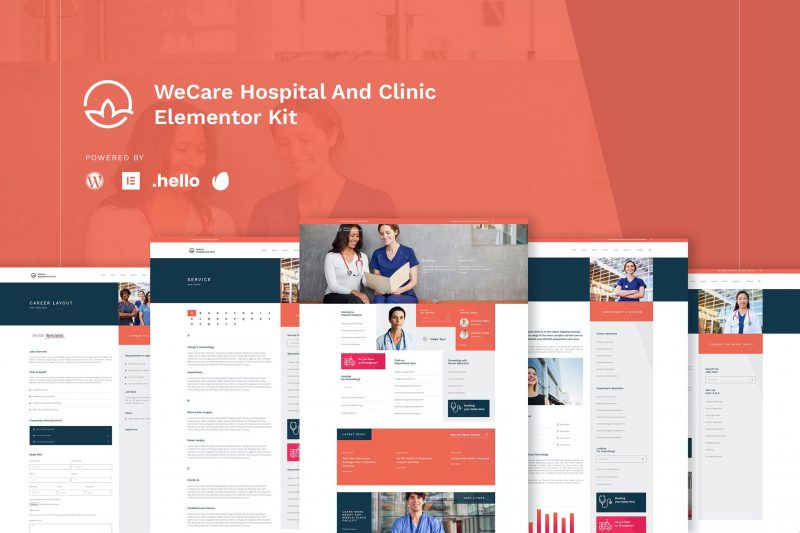
Are you tired to find a Real Hospital Template for your healthcare project? Or your client has ton of department and staff to show on website? Then, WeCare is the Best Option for your Project. WeCare Hospital and Clinic Template is designed after some research to Hospital, Patient and Public to look what they expect on Hospital Website. And the result is they want a Hospital website that full ton of Information where they should to go and what Doctor and Department Available there, therefore, we designed this kit to meet their UX requirements. This kit is totally different from another hospital kit with unused fancy image and animation for end user. This is kit designed to meet the user experience (UX) ease; so, you may find many index lists of information. Also, this kit powered with many layout pages that hospital and clinic need.
Page Templates
- Homepage
- About Page
- Career List Page
- Career Layout Page
- Service List Page
- Service Page Layout
- Doctor List Page
- Doctor Page Layout
- Blog
- Single Blog
- Contact
- Single 404
- Single Search Result
Sections
- Header Style 1
- Header Style 2
- Testimonial
- Career Slider
- Team Slider
- Doctor Slider
- Hero Slider
- Service Tabs
Required Plugins (will be installed automatically)
- Elementor
- Premium Plugin for Elementor
- Happy Addon Plugin for Elementor
- Element Kit Lite For Elementor
- Essential Addon
- Sticky Header for Elementor
Required Plugin (Installed Separately)
- Elementor Pro
How to Install the Hero Slider
- Import the slider
- Make the copy of main slider
- Import the homepage
- Click section to Carousel Widget
- Choose Repeater Tab and Choose the Slide Template
- Set the hashtag of each slide (For Instanse #slidelayout-1)
- Go to Main Slider Section,
- Click the color button of the slide
- Click Advance and set the CSS ID to slidelayout-1 (without hash)
What's included
- The full template kitEvery file from the developer's release, in one zip.
- Unlimited sitesInstall it on your own and your clients' sites.
- GPL licensedFree to use, study and modify.
- No paymentFree to download, no card needed.
How to install
- 1Download the zip file from this page.
- 2In WordPress, open Elementor → Tools → Import / Export Kit.
- 3Start the import, choose the zip and pick the parts you want.
Questions
Is this the developer's own release?
Yes. It is the release published by the original developer, redistributed under the GNU General Public License. The GPL allows anyone to share and resell the code.
Do I get a license key or automatic updates?
No. License keys, one-click updates and support come from the developer's own paid plans. To update, download the newer version here when it is listed and install it over the old one.
Can I use it on more than one site?
Yes. The GPL puts no limit on the number of sites, including client sites.
Why is it free?
During our launch every download that is available on GPL Store is free. Nothing is charged and no card is asked for.