Overview
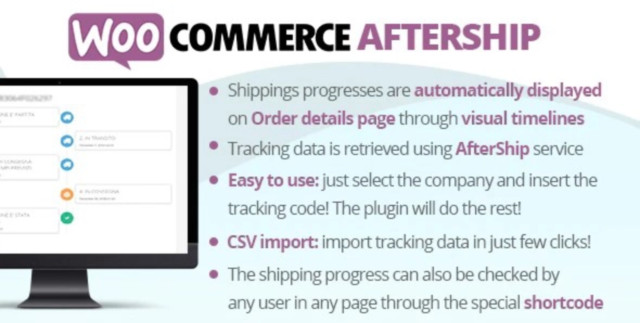
Track your shippings progress through AfterShip service using nice visual timelines!
The plugin relies on the AfterShip service so it requires at least a PRO AfterShip plan to work. The plugin author is not affiliated with the AfterShip service in any way, for any matter regarding the subscription plans you have to eventually contact the AfterShip service.
HOW IT WORKS
The WooCommerce AfterShip plugin allows your customer to keep track of shippings through timelines displayed on the Orders details page! It is straightforward to use:
- Through the WooCommerce AfterShip menu insert the AfterShip API Key (you will find a link to generate it)
- Select the companies you are going to use to track shippings
- In the admin order details page, enter the tracking info
That’s it! The plugin will automatically keep you updated about the tracking status and it will automatically show status timelines in the frontend order details page for each tracking code associated to the order!
SHIPPING PROGRESS TIMELINE
In each order details page, the WooCommerce AfterShip plugin will show a timeline for each tracking code entered by the shop admin!
PRODUCTIVITY
Order trackings can be add, edited and removed directly from the Orders list page!
SHORTCODE
Through the special [wcafw_order_status] it is possible to track any order in any page. It will render a form in which the user can enter the order id. The form will then load the order shipping timelines. This is can be useful for gust users that cannot access to profile pages to track their orders
TRACKING INFO EMBEDDED INTO WOOCOMMERCE EMAILS
Tracking info will be automatically embedded on every WooCommerce notification email once the order status hits the “completed” status. You can optionally change which status the plugin has to consider to embed tracking info and customize the message included in the emails!
EMAIL NOTIFICATION
Optionally you can send active email notifications containing the order tracking info. The email template can be localized (only if using WPML) and customized using the Email menu.
CSV IMPORT
Import your data in just few click using a CSV file! Here the Example file to use as template. Follow the instruction you find in the special import section, insert the data you need into the CSV file and import!
SHIPMENT TITLE AND ORDER CUSTOMIZATION
If you wish to customize the shipment titles displayed in the AfterShip shipment section, just hook to the wcafw_shipment_title filter and customize as you wish! Here an example
add_filter('wcafw_shipment_title', 'wcafw_relplace_aftership_shipment_title', 10, 2);
function wcafw_relplace_aftership_shipment_title($title, $order)
{
//Do your stuff here!
return $title;
}
To customize the order id, you can use the following filter wcafw_shipment_order_id:
add_filter('wcafw_shipment_order_id', 'wcafw_relplace_aftership_shipment_order_id' 10, 2);
function wcafw_relplace_aftership_shipment_order_id($order_id, $order)
{
//Do your stuff here!
return $order_id;
}
What's included
- The full pluginEvery file from the developer's release, in one zip.
- Unlimited sitesInstall it on your own and your clients' sites.
- GPL licensedFree to use, study and modify.
- No paymentFree to download, no card needed.
How to install
- 1Download the zip file from this page.
- 2In WordPress, go to Plugins → Add New → Upload Plugin.
- 3Choose the zip, click Install Now, then Activate.
Questions
Is this the developer's own release?
Yes. It is the release published by the original developer, redistributed under the GNU General Public License. The GPL allows anyone to share and resell the code.
Do I get a license key or automatic updates?
No. License keys, one-click updates and support come from the developer's own paid plans. To update, download the newer version here when it is listed and install it over the old one.
Can I use it on more than one site?
Yes. The GPL puts no limit on the number of sites, including client sites.
Why is it free?
During our launch every download that is available on GPL Store is free. Nothing is charged and no card is asked for.


