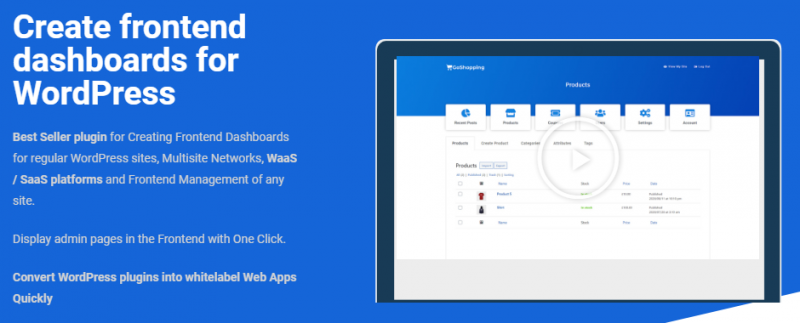
Overview
You can create all kinds of apps. There are more than 30,000 WordPress plugins. You can use all the plugins to create apps.
PHOTO GALLERIES
You can use a “photo galleries” plugin. Display the “gallery creator” page in the frontend and your users will be able to upload photo galleries and view the galleries
EMAIL MARKETING
Use the free “MailPoet” plugin, and display the mailpoet settings, list editor, and newsletter builder in the frontend. Your users will be able to create and send newsletters
SELL PRODUCTS
Use the free “WooCommerce” plugin and display the products list, sale reports, and settings page in the frontend. So your users can create stores and sell products from your app
ANALYTICS AND STATS
Use the free “Monster Insights” plugin. Display the settings and reports pages in the frontend. Your users will be able to set up their Google Analytics account, view stats about web traffic from their site on your platform or their external website
FILE HOSTING
Display the WP Media library in the frontend and allow your users to upload files and view their uploads in the library.
DONATIONS
Use the free “Give” plugin, and display the donation form editor. Your users will be able to create donation forms and receive donations
EVENTS MANAGER
Use the free “The Events Calendar” plugin and display the “attendees” page in the frontend. So the event managers can control the attendees from your app.
CHARTS CREATOR
You can use the free “visualizer” plugin and display the “charts editor” in the frontend. Your users will be able to log in and create charts.
POLLS AND SURVEYS
Use the free “CBX Polls” plugin, display the polls list in the frontend, and your users will be able to log in, create polls, and share the poll link with their friends
URL SHORTENERS
Use the free “URL Shortener” plugin, and display the “short url” editor. Your users will be able to log in, shorten urls, and see their URLs in the frontend
SELL COURSES
Use the “LearnPress” plugin and display the “courses” page and editor in the frontend. So users of your app can log in, create, and edit courses.
WEBSITE CREATOR
You can display multiple pages from WP Admin, like the posts list, themes, and settings page in the frontend. Your users will be able to log in, publish blog posts, create pages with elementor, and tweak their design.
What's included
- The full pluginEvery file from the developer's release, in one zip.
- Unlimited sitesInstall it on your own and your clients' sites.
- GPL licensedFree to use, study and modify.
- No paymentFree to download, no card needed.
How to install
- 1Download the zip file from this page.
- 2In WordPress, go to Plugins → Add New → Upload Plugin.
- 3Choose the zip, click Install Now, then Activate.
Questions
Is this the developer's own release?
Yes. It is the release published by the original developer, redistributed under the GNU General Public License. The GPL allows anyone to share and resell the code.
Do I get a license key or automatic updates?
No. License keys, one-click updates and support come from the developer's own paid plans. To update, download the newer version here when it is listed and install it over the old one.
Can I use it on more than one site?
Yes. The GPL puts no limit on the number of sites, including client sites.
Why is it free?
During our launch every download that is available on GPL Store is free. Nothing is charged and no card is asked for.